Account Deletion
Introduction
This page explains how to delete your Digicraft Home account (app package com.whatif.mobile.homesecurity, developed by Whatif Solutions Sdn Bhd), what data is removed when you do, and what data may be kept.
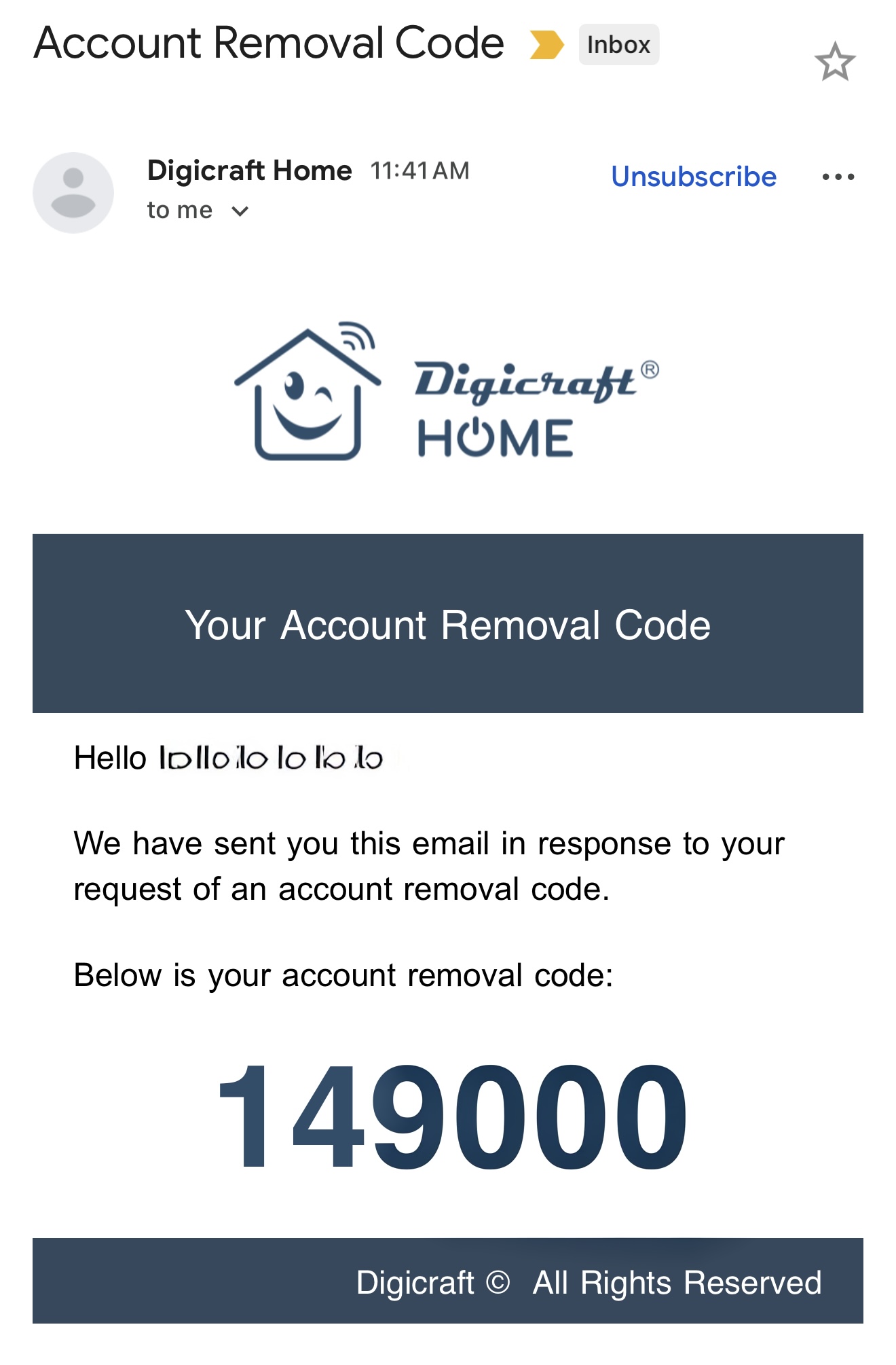
Account deletion is requested from inside the app and is confirmed with a 6-digit PIN sent to the email address registered to your account.
Important
Deleting your account removes your Digicraft Home account information from our database. This cannot be undone.
Once deleted, you will lose access to all devices paired to the account, and all sharing links tied to the account will stop working for you and for the users you shared with.
How To Delete Your Account
1. Open Digicraft Home and sign in
Sign in with the account you want to delete (Email/Password, Google, or Apple sign-in).
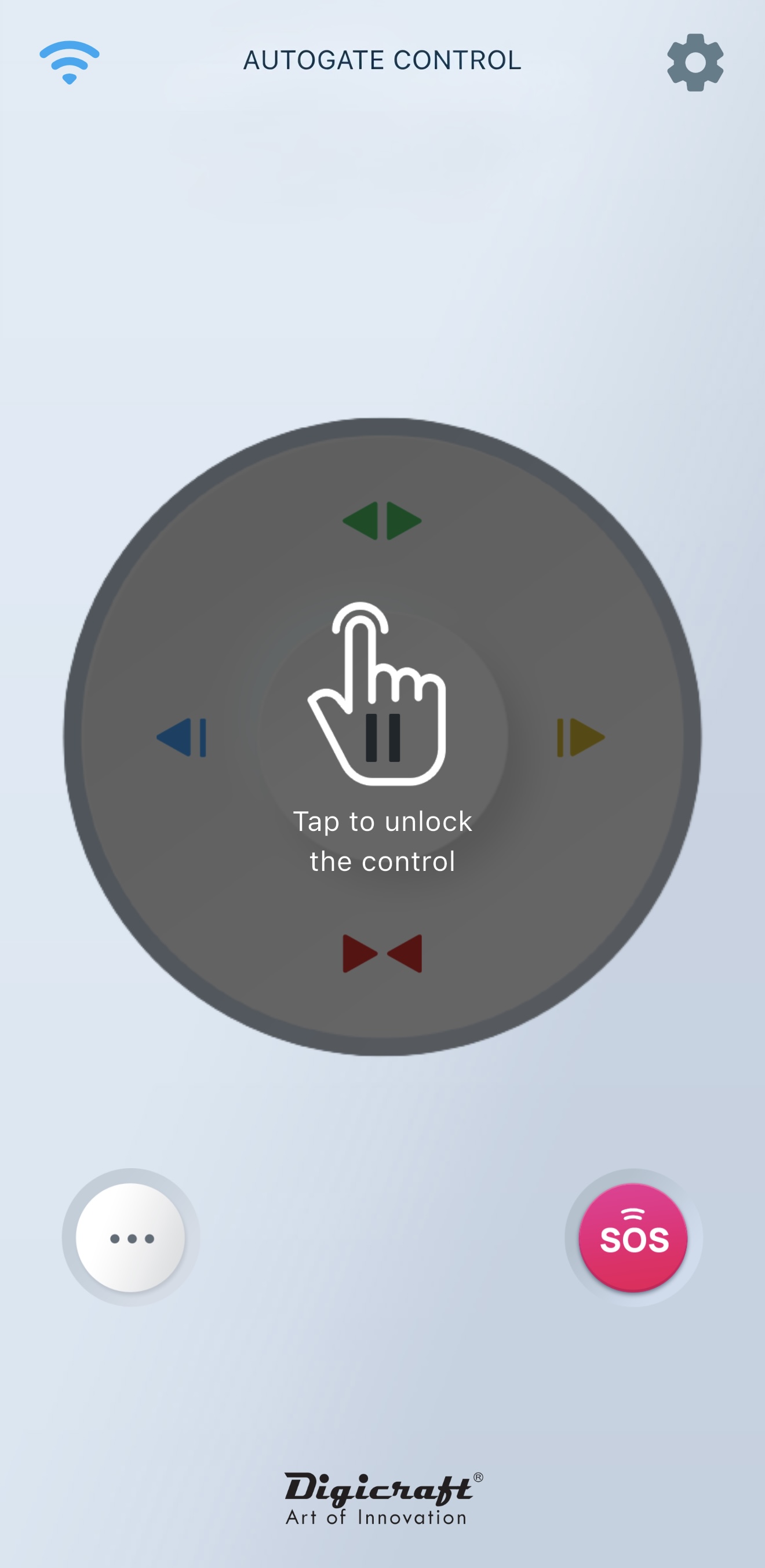
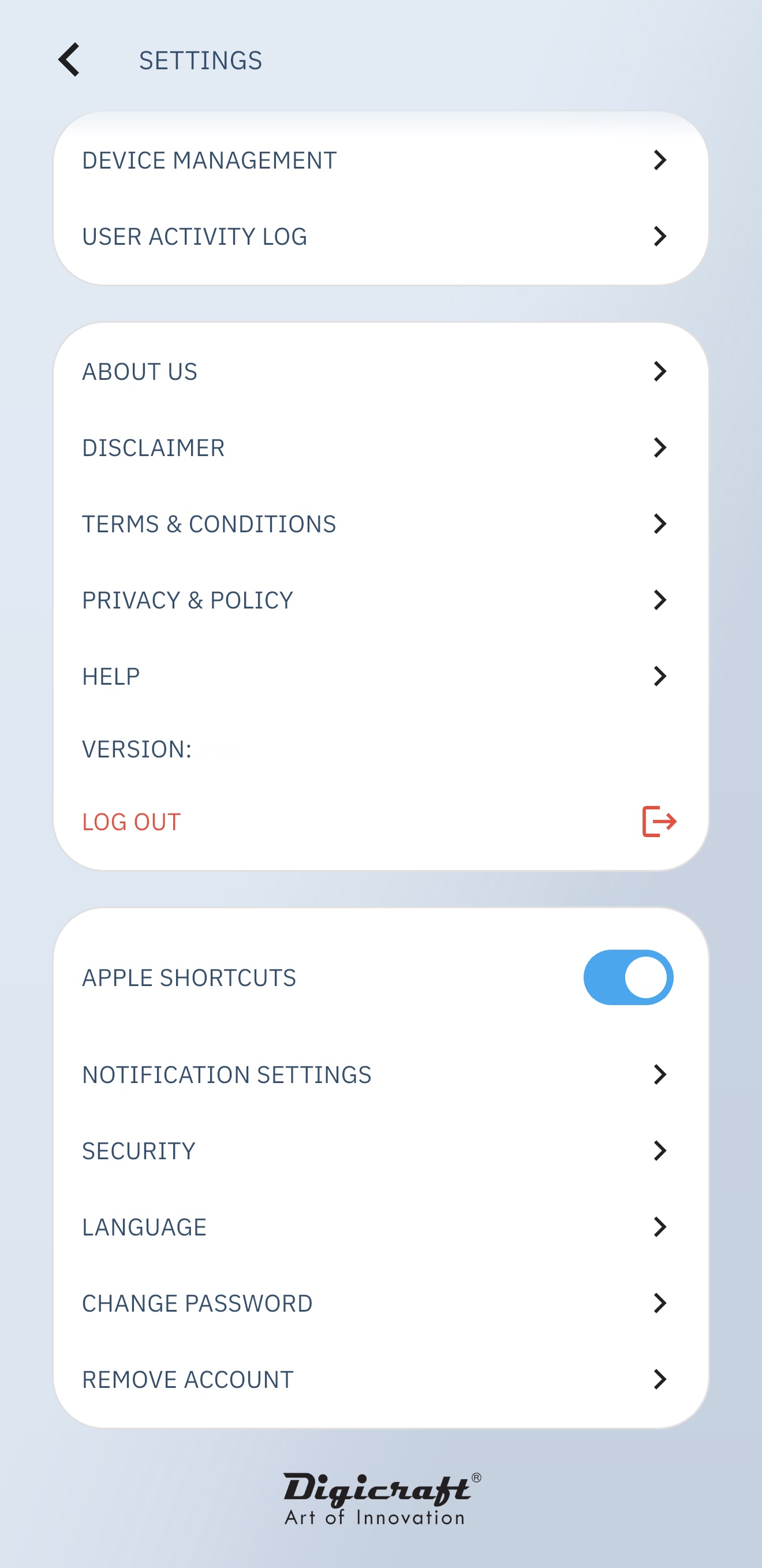
2. Go to Settings ⚙️ → REMOVE ACCOUNT
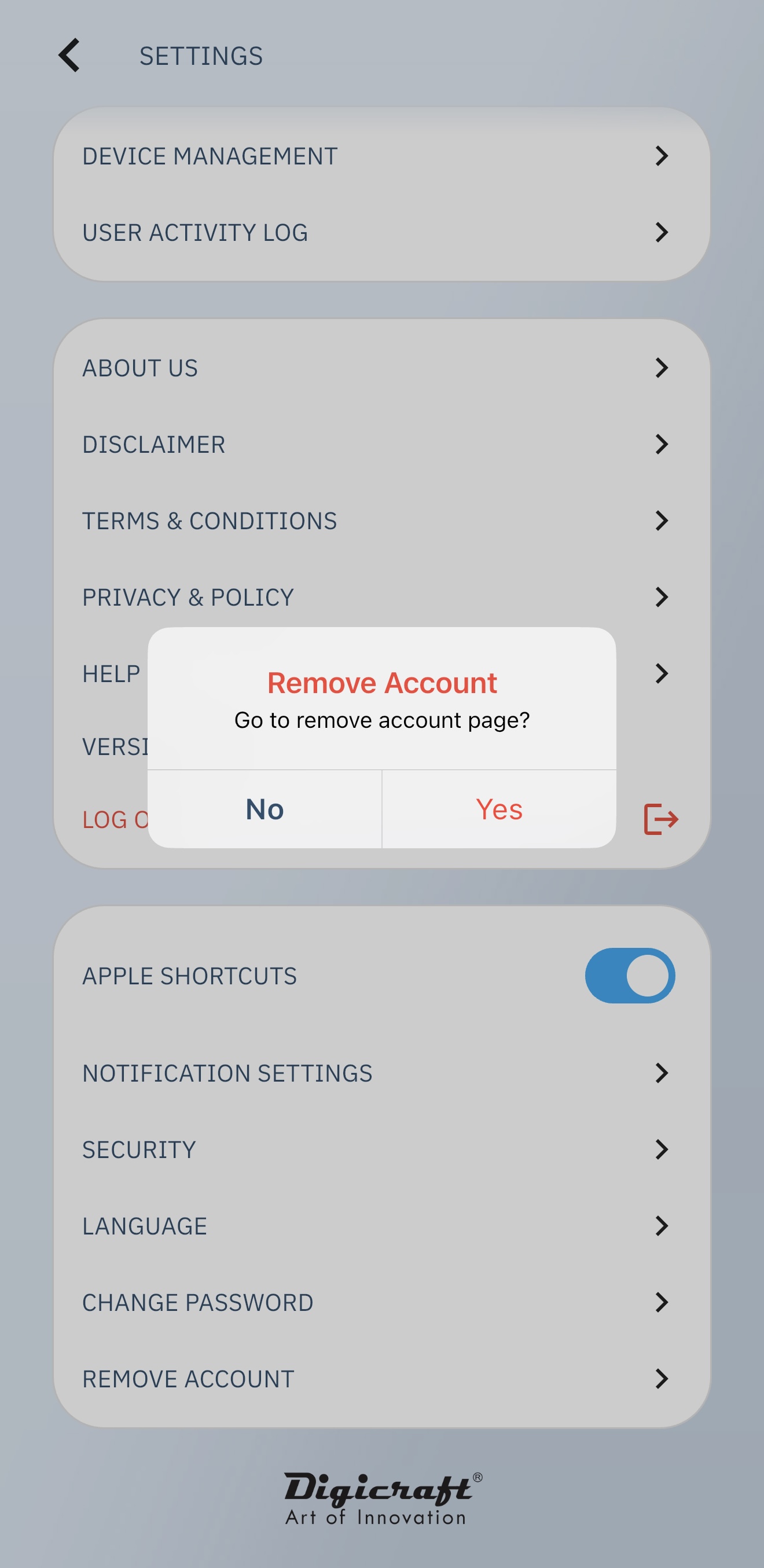
Scroll to the bottom of the SETTINGS page and select REMOVE ACCOUNT, then select Yes on the confirmation prompt.
3. Request the PIN sent to your email
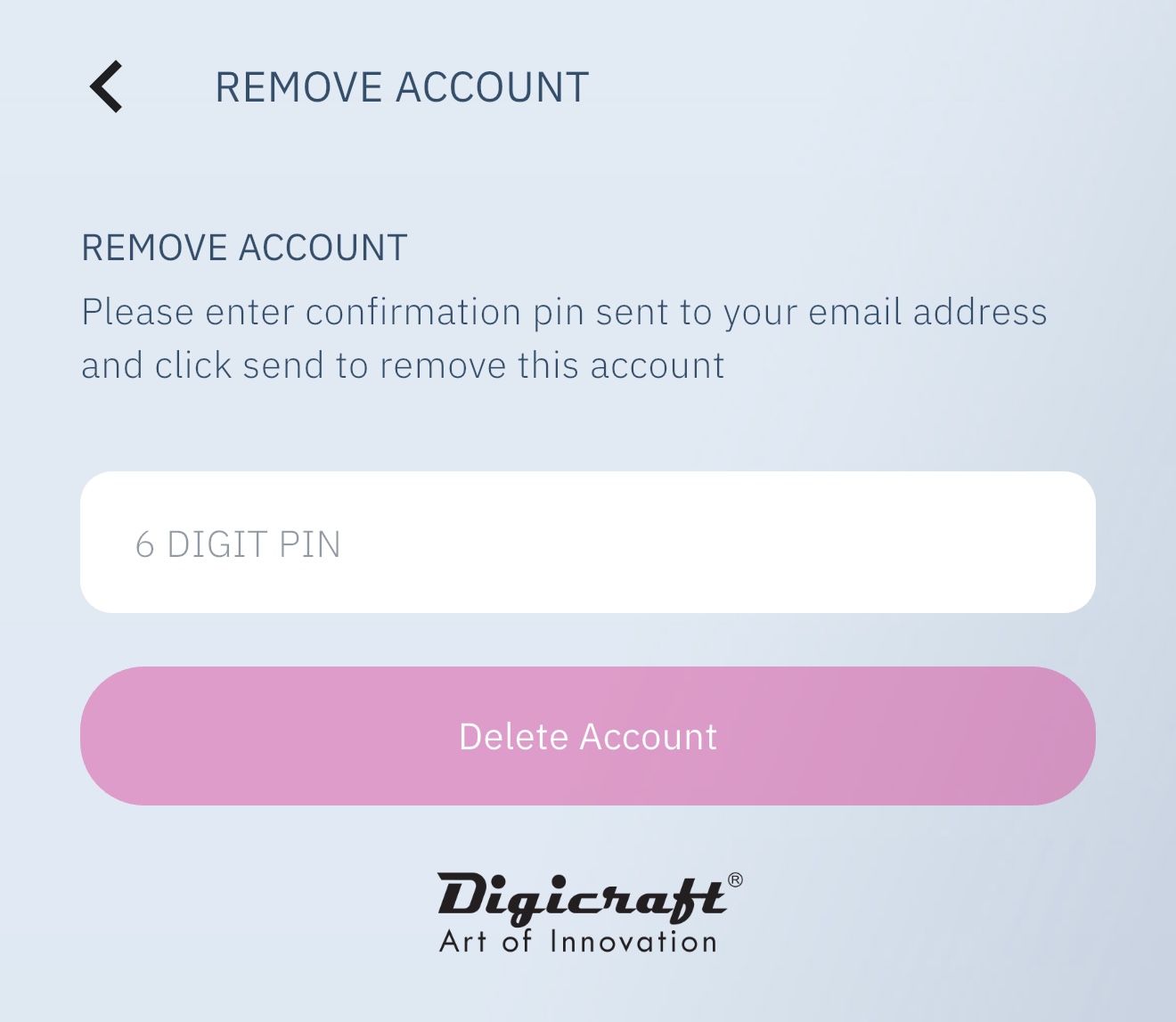
A 6 digit PIN is sent to the email address registered to your account. Check your inbox (and your spam/junk folder).
Notes
- The PIN is valid for 10 minutes. If it expires, request a new one.
4. Enter the PIN and confirm deletion
Enter the 6 digit PIN on the REMOVE ACCOUNT page and select Delete Account.
Your account is deleted immediately once the PIN is accepted. You will be signed out and will not be able to sign in again with that account.
What Data Is Deleted
When the deletion is confirmed, the following is removed from our database:
| Category | What is removed |
|---|---|
| Account profile | Your email address and username, and any profile details stored with the account (address, city, postcode, phone number, company) |
| Login credentials & sessions | Your password, sign-in tokens, activation and password-reset codes, and the Google/Apple (SSO) sign-in record linked to your email. Existing sign-in sessions stop working. |
| Paired devices | All IoTHub devices registered to your account, including device names, MAC address records, last known IP/WiFi (SSID) details and pairing codes |
| Device sharing links | Devices you shared with other users, and devices other users shared with you |
| Notification & app preferences | Per-device notification settings, voice-assistant integration preferences (Apple Shortcuts / Google Assistant), and policy consent records |
If you are a device owner
Deleting your account also deletes the device records for the hubs you own and removes the sharing links for everyone you shared them with. Those users will lose access to the devices.
If you want to keep a device in use, transfer or re-pair it to another account before deleting your account.
What Data May Be Retained
A small amount of data is not deleted immediately:
- Technical and activity logs — for example, records that an account deletion PIN was requested. These are used for troubleshooting, security and abuse prevention.
- A minimal deletion record — a marker that the account was deleted, together with the deletion date and the identifier of the deleted account. This lets us honour the deletion and prevents the record from being reused.
- Legal compliance records — any records we are required to keep under applicable law (for example, transaction or warranty records held by your seller).
This retained data is kept only for a limited period, and only for the purposes above. It is not used to restore your account, and it is not used to identify you for marketing.
If You Cannot Sign In
Deletion must normally be requested from inside the app, because the PIN is sent to your registered email address.
If you cannot sign in (for example, you no longer have access to the app or your device), you can request deletion through the Feedback Form. Please include the email address of the account you want deleted so we can verify and process the request.
Notes
Requests submitted this way are handled manually and are not instant. We may need to verify that you own the account before deleting it.